

Everything a season needs, in the order you need it
Nine chapters, from setting up your league to sharing it with the world. Every feature here comes with LeagueNest.
Get set up
A guided setup gets a new league ready in about ten minutes.
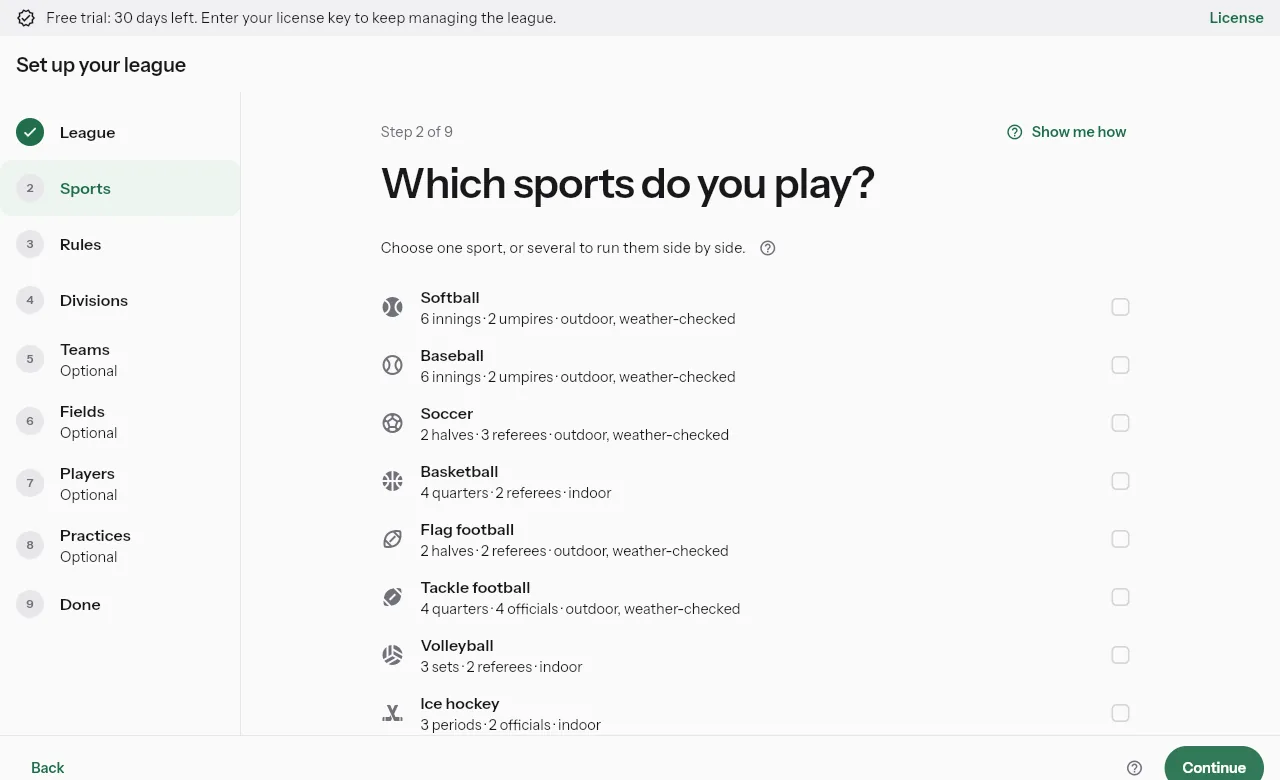
Start a league in about ten minutes
10-minute setupA nine-step guide covers your league, sports, rules, divisions, teams, fields, players and practices, and you can stop after the rules and finish later.
Bring your players with you
Import a spreadsheet or a Sports Connect or PlayMetrics file, match the columns and check every player before anything is saved, and export your schedule for GameChanger.
Any sport, any league
Twelve sports from softball to bowling, for rec, travel and adult leagues, and you can run several sports side by side.
Your league, your look
Upload your logo and LeagueNest offers its colors for the app, so everyone sees your league at the top of every page.
Help on every page
285+ guidesTap the question mark on any page for step-by-step help with what you will see when it worked, and a Take me there button.
Sign-ups and payments
Families sign up and pay without a stack of paper.
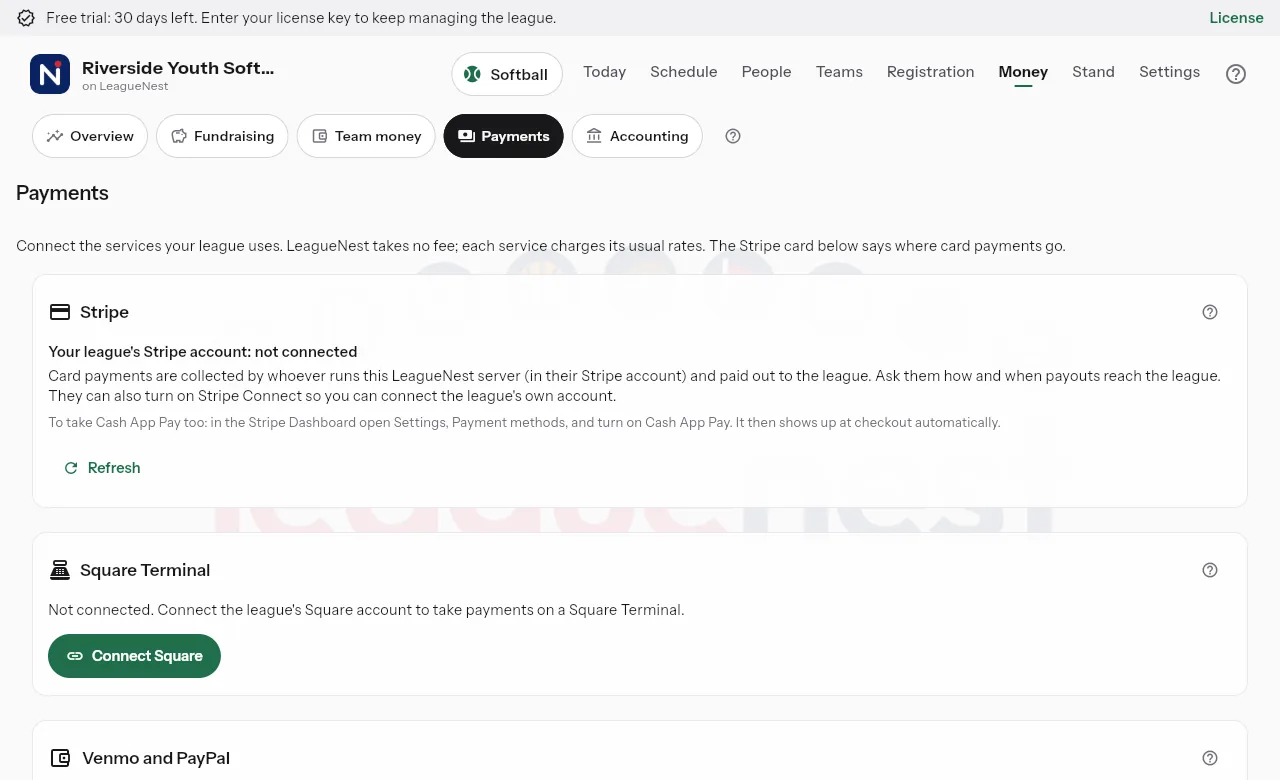
Families sign up online
Parents register their kids from a phone or computer, and ages are checked against your divisions as they type.
Pay by card, at home or at the field
Families pay by card online through Stripe, or in person on a Square Terminal at the stand.
Payment plans
Split a fee into payments that are charged on schedule, so families do not have to pay it all at once.
Ineligible until paid
If you turn it on, a player whose payment is late shows as unable to play to admins and that team's coaches only, and paying clears it.
Waivers signed in the app
Families sign waivers in the app or from an emailed link, and each team shows who has signed.
Clearances and requirements
Track background checks, trainings and physicals for coaches, volunteers and players, and see who is cleared.
Teams
Build balanced teams and keep every roster straight.
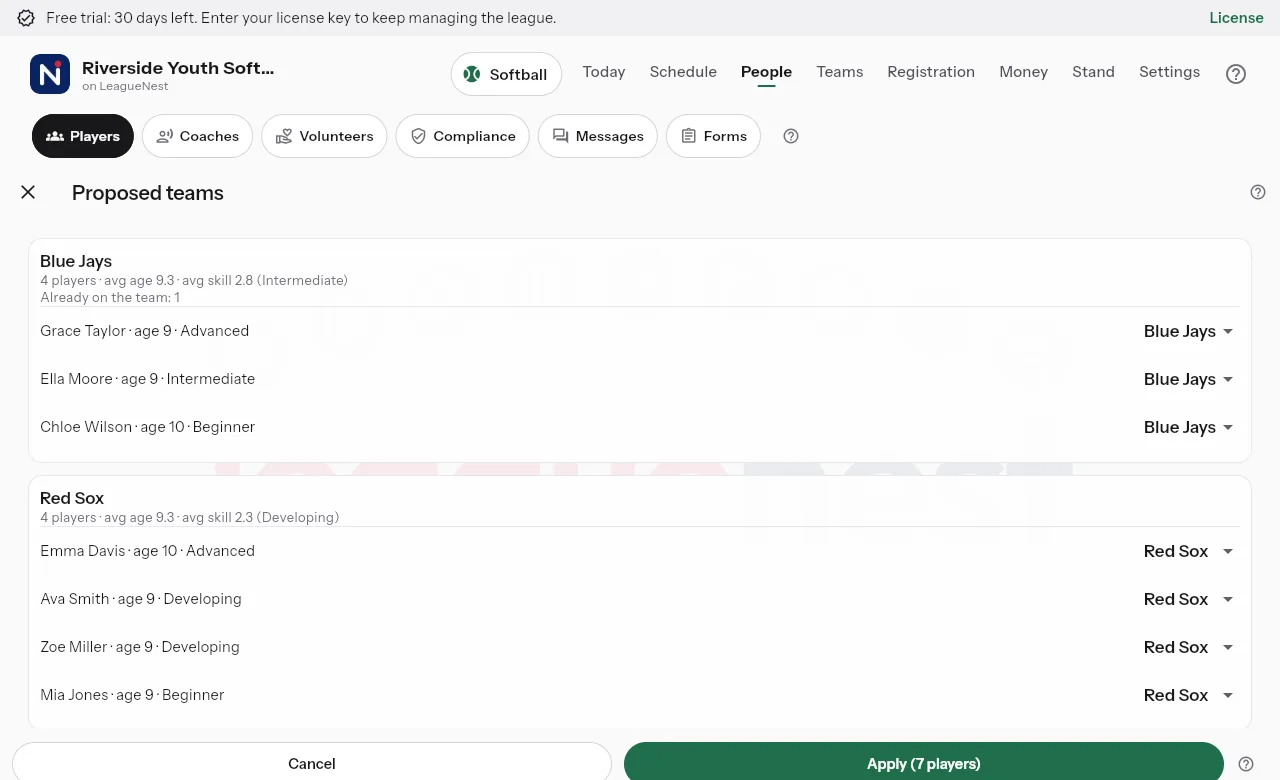
Fair teams in one tap
Auto-balance proposes teams by age and skill, and nothing changes until you apply it.
Move players without the math
Move a player to another team or division and LeagueNest suggests the price difference and how to settle it.
Away teams
NewKeep a list of the teams you play from other towns, leagues and high schools, and plan games against them in one step.
Stay in sync with other leagues
When the other league uses LeagueNest too, a shared game shows on both schedules and changes reach both.
Coaches and invites
Invite coaches with a one-time code, and they see contact details for their own team only.
Player profiles
Each player has one page across seasons with teams, positions, attendance, evaluations and forms.
Schedule
Every game and practice on one calendar, without the clashes.
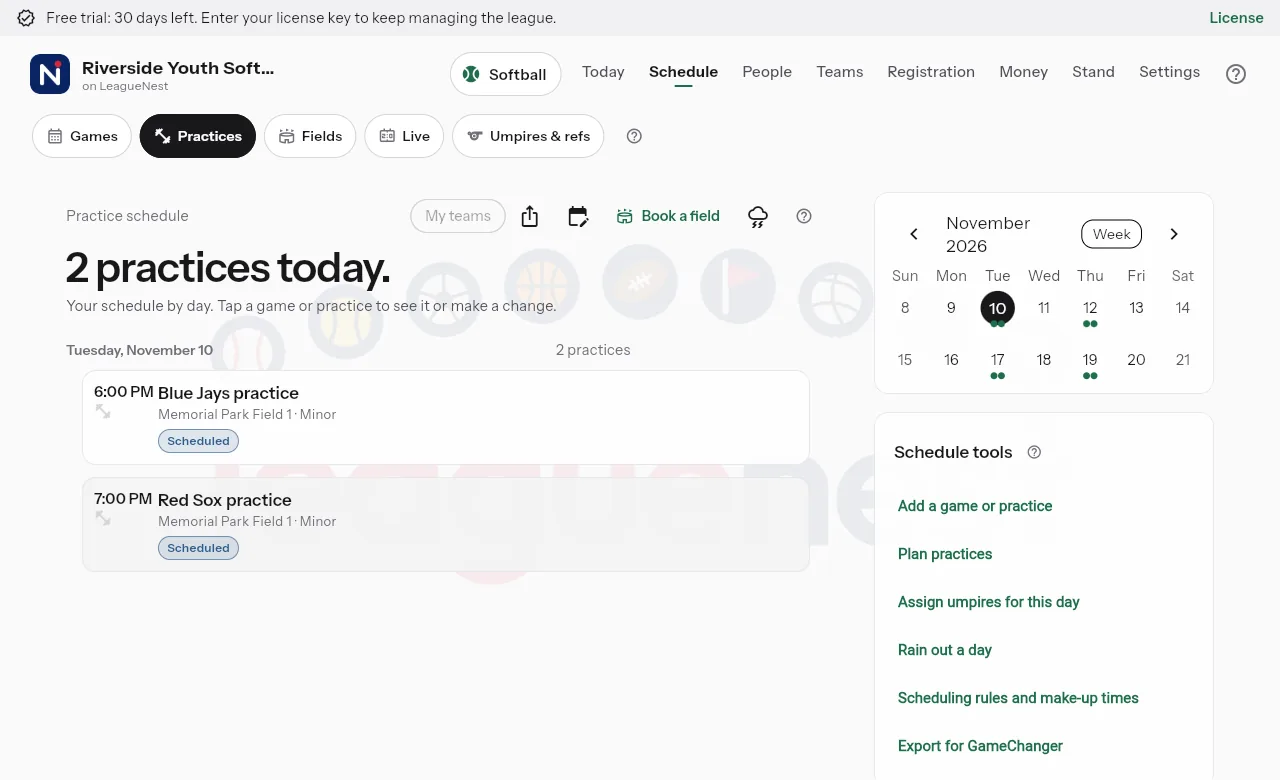
Games and practices together
See the month, two weeks or one week, and filter to just your teams.
A season of practices at once
Pick the days, times and fields, preview the list, and put a whole season of practices on the schedule in one go.
No double-booking
Clash checkA game or practice that overlaps another on the same team or field asks you before it saves.
Rainouts handled
Forecasts are checked for outdoor games, and a rained-out game can move to the next open make-up time by itself.
Fields and lights
Add fields, gyms, rinks or lanes with just a name, and mark which are indoors or have lights.
Umpires and referees
Assign officials for a whole day across every sport, with availability, daily limits and a fair share of games.
Tournaments and travel
Travel teams get tournaments, trip plans, who is going, carpools and guest players.
Game day
Keep score live, or just enter the final.
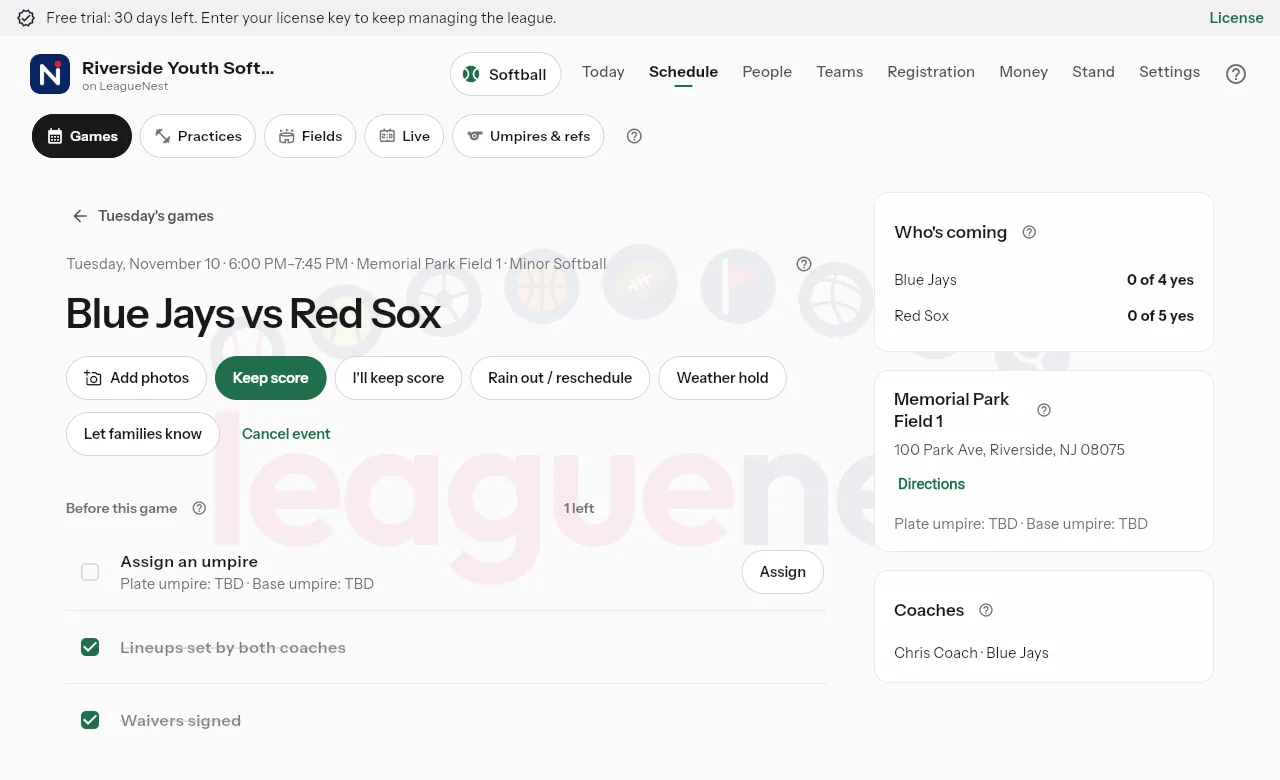
Live scoring
One scorekeeper taps each play, and everyone else follows the score as it happens.
Stats after the game
Skip live scoring and enter the final score and player stats after the game, and the averages are worked out for you.
Stats for every sport
Box scores and leaderboards fit each sport, from batting average to save percentage to hitting percentage.
Scores both coaches agree on
When a coach enters a final score, the other team's coach confirms it, and a disagreement goes to the admins.
Photos, streaming and recaps
Families add game photos, games can stream to YouTube from a phone, and a short recap is written from the play-by-play.
Bowling, done right
Score sheets frame by frame or by totals, with averages, handicap, blinds, vacancies and lane rotation.
Stay in touch
Reach the right people without a pile of group texts.
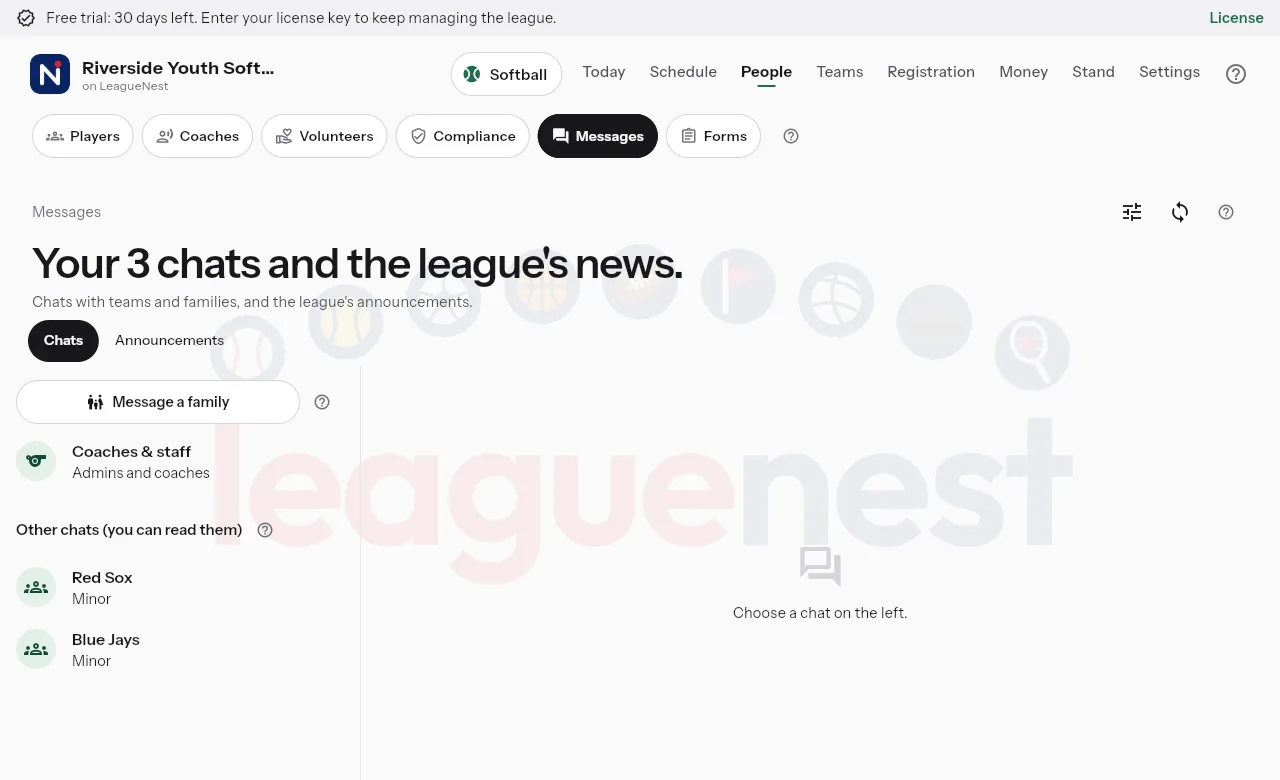
Announcements
Post to everyone, a division, some teams or the coaches, with a phone notification and an email copy.
Text messages
Texts go only to families who said yes and confirmed their number, and replying STOP stops them.
Team chat and GroupMe
Every team has a chat in the app, and LeagueNest can post announcements, schedule changes and recaps in your GroupMe groups.
Forms that do the chasing
Build your own forms, send them to the right people, and let reminders follow up before the deadline.
Volunteers
Families sign up for volunteer jobs and see their hours, and you see who still owes hours.
Coaching
Give every coach a plan for practice and game day.
Drill library
Drills for every sport with ages, minutes and coaching points, and a diagram you draw right in the app.
Practice plans
Drag drills into order, watch the minutes add up, and run the plan on a phone one drill at a time.
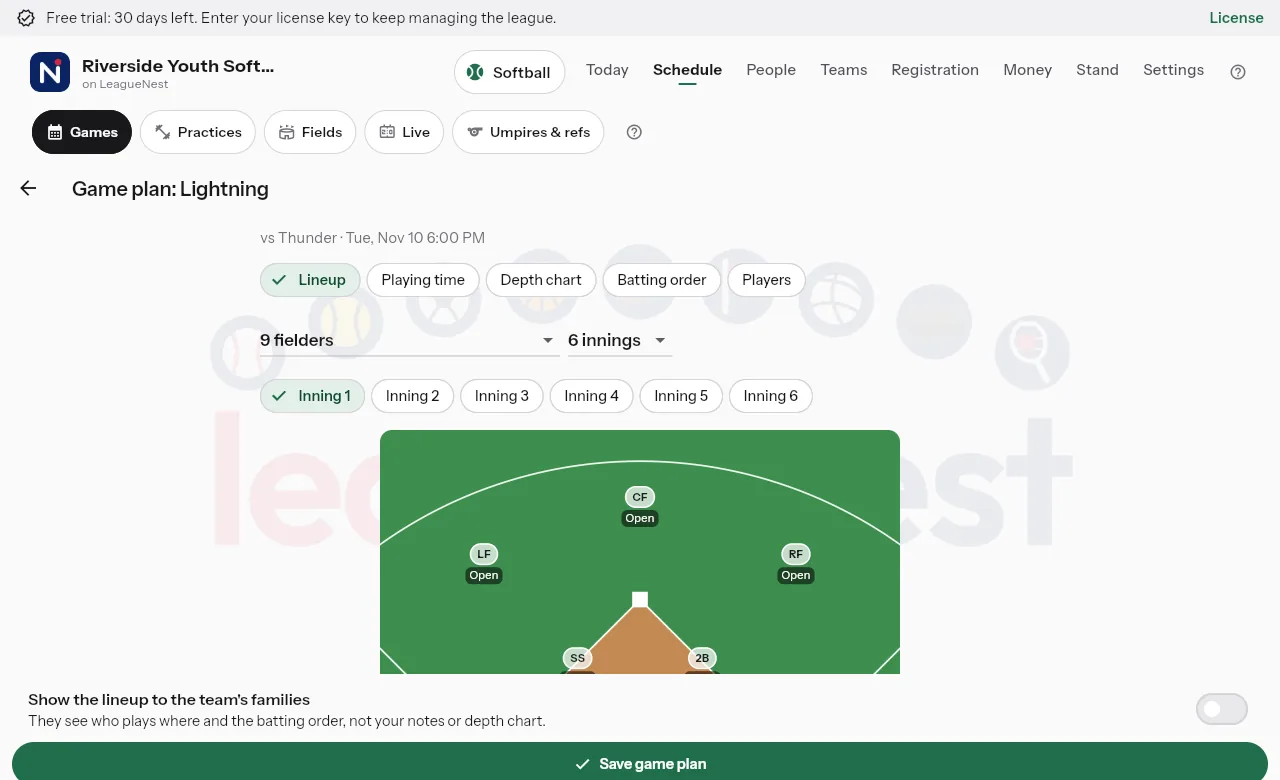
Game planner
Set the lineup on the field or court, and Fill fairly spreads playing time across the game.
Season plans
Split the season into weeks with goals and drills, then publish them to your coaches.
Player evaluations
Coaches rate players on the skills you choose, and approved results stay on each player's profile.
Tryouts and drafts
Evaluators score tryouts on their phones without seeing each other's scores, then you run a live draft.
Money and running the league
See what needs you today and where the money went.
Today page
One list of what needs you today, and each row opens the page that fixes it.
Director dashboard
Season plans, practice planning, games, forms and clearances on one page, with a short list of things to look at.
Team money
Teams track their dues and costs, and coaches ask to be paid back with a photo of the receipt.
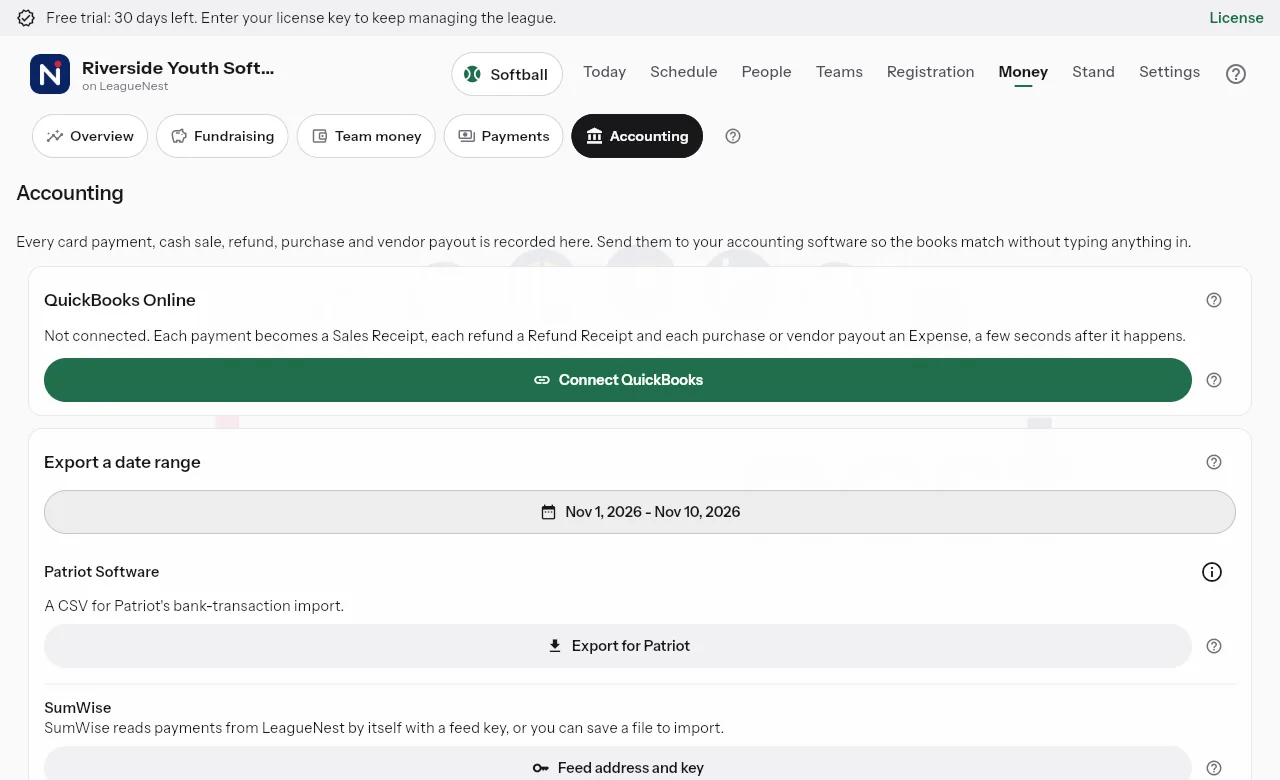
Your books, done for you
Every payment and refund goes to QuickBooks Online or SumWise within seconds, sorted by kind of money.
Concession stand
A register for the stand with cash and cards, shifts, stock and sales reports.
Fundraising and sponsors
Run campaigns with a supporter wall, and sell sponsor levels that can sell out.
Share and protect
Show your league to the world and keep families' details private.
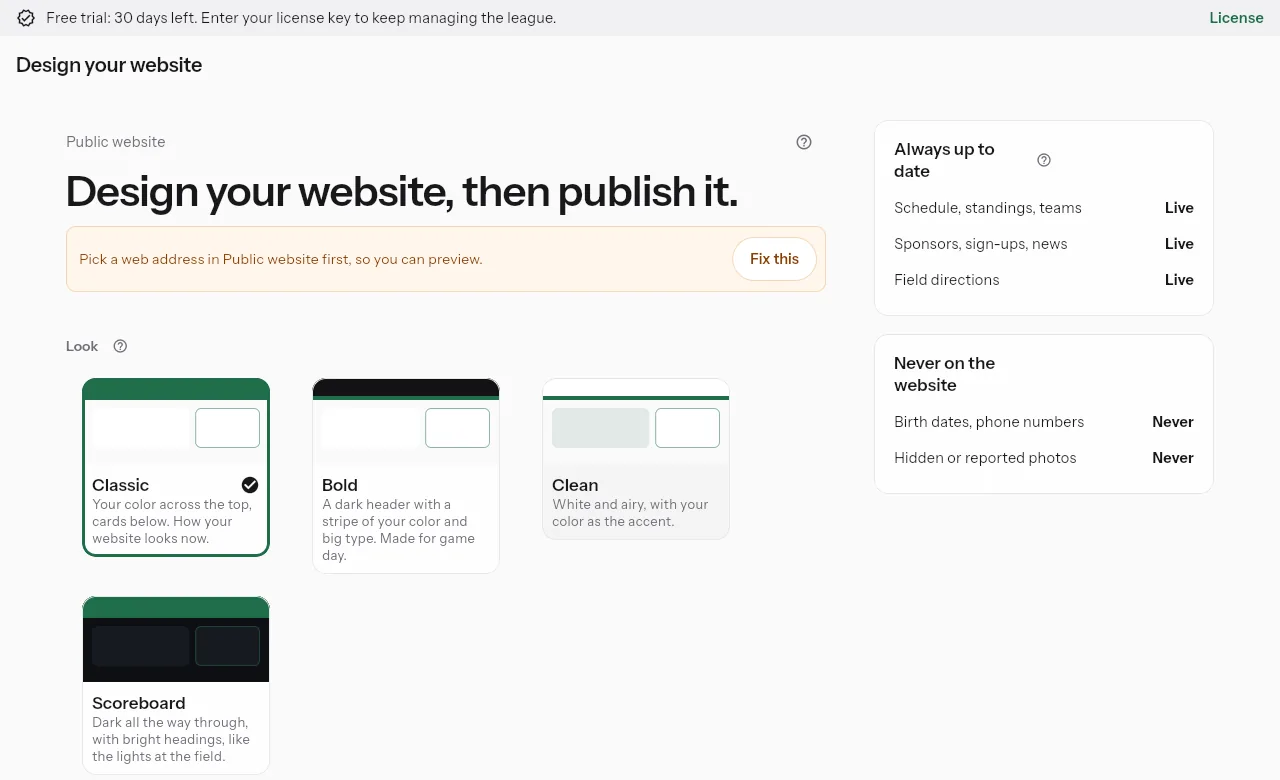
Your league website
Pick a look, build pages from blocks, and publish a public site with your live schedule and standings.
Recruiting profiles
Families of older players share a private profile by link and access code, never listed by search engines.
Families' details stay private
EncryptedBirth dates and contact details are encrypted, coaches see only their own team's, and every look is logged.
Take your data with you
Admins export the league's data as spreadsheets and web pages whenever they want.
Download my data
Anyone can download their own account, sign-ups, payments and messages in one file.
Works on everything
Windows, the web, Android and iPhone, with the same league on every device.
Built to be trusted with families' details
The same care runs through every chapter.
Privacy
Each league decides who joins and what is shared. Families can leave their child out of recaps, photos, leaderboards and video.
Encryption
Birth dates, guardian contact details and form answers are encrypted before they are stored.
Roles
Admins, coaches, scorekeepers, volunteers and families each see what their role needs, and coaches see only their own team.
Data export
Admins export the whole league, and anyone can download their own data, whenever they want.
Help center
More than 285 step-by-step guides, inside the app and on the web.
Tap a sport to see what it tracks
Stats, box scores and leaderboards fit each sport. See every sport in detail.
Softball
Balls, strikes and fouls, automatic walks and strikeouts, three-out half-innings, a batting order with pinch hitters, runs by inning, hits and errors, and walk-off endings.
Batting
- GGames played
- PAPlate appearances
- ABAt-bats
- HHits
- 2BDoubles
- 3BTriples
- HRHome runs
- RRuns scored
- RBIRuns batted in
- BBWalks
- SOStrikeouts
- SBStolen bases
- AVGBatting average
- OBPOn-base percentage
- SLGSlugging
- OPSOn-base plus slugging
Batting (advanced)
- ISOIsolated power
- BABIPAverage on balls in play
- K%Strikeouts per plate appearance
- BB%Walks per plate appearance
- GB%Ground balls
- LD%Line drives
- FB%Fly balls
- LeftHit to left
- CenterHit up the middle
- RightHit to right
Pitching
- IPInnings pitched
- #PPitches thrown
- BFBatters faced
- HHits allowed
- RRuns allowed
- EREarned runs
- BBWalks
- KStrikeouts
- ERAEarned run average
- WHIPWalks plus hits per inning
- Strike%Strikes thrown
- P/IPPitches per inning
- Opp AVGOpponents' average
Fielding
- EErrors
Baseball
Balls, strikes and fouls, automatic walks and strikeouts, three-out half-innings, a batting order with pinch hitters, runs by inning, hits and errors, and walk-off endings.
Batting
- GGames played
- PAPlate appearances
- ABAt-bats
- HHits
- 2BDoubles
- 3BTriples
- HRHome runs
- RRuns scored
- RBIRuns batted in
- BBWalks
- SOStrikeouts
- SBStolen bases
- AVGBatting average
- OBPOn-base percentage
- SLGSlugging
- OPSOn-base plus slugging
Batting (advanced)
- ISOIsolated power
- BABIPAverage on balls in play
- K%Strikeouts per plate appearance
- BB%Walks per plate appearance
- GB%Ground balls
- LD%Line drives
- FB%Fly balls
- LeftHit to left
- CenterHit up the middle
- RightHit to right
Pitching
- IPInnings pitched
- #PPitches thrown
- BFBatters faced
- HHits allowed
- RRuns allowed
- EREarned runs
- BBWalks
- KStrikeouts
- ERAEarned run average
- WHIPWalks plus hits per inning
- Strike%Strikes thrown
- P/IPPitches per inning
- Opp AVGOpponents' average
Fielding
- EErrors
Soccer
Goals with assists, penalty-kick goals, own goals, saves, shots wide, corners, fouls, yellow and red cards (a second yellow sends a player off), and extra time.
Attacking
- GGoals
- AAssists
- PTSGoals plus assists
- SHShots
- SOGShots on goal
- SH%Goals per shot
- On goal %Shots on goal per shot
Goalkeeping
- SVSaves
- GAGoals allowed
- SV%Save percentage
Other
- YCYellow cards
- RCRed cards
- FFouls
- MINMinutes played
Basketball
Made and missed twos, threes and free throws with assists, rebounds, steals, blocks, turnovers and fouls, with team fouls, the bonus and foul-outs at your league's limit (5 by default).
Scoring
- GGames played
- PTSPoints
- PPGPoints per game
- FGMField goals made
- FGAField goals tried
- FG%Field goal percentage
- 3PMThrees made
- 3PAThrees tried
- 3P%Three-point percentage
- FTMFree throws made
- FTAFree throws tried
- FT%Free throw percentage
Advanced
- eFG%Effective field goal percentage
- TS%True shooting
- +/-Plus/minus
- MINMinutes played
Other
- REBRebounds
- OREBOffensive rebounds
- DREBDefensive rebounds
- ASTAssists
- STLSteals
- BLKBlocks
- TOTurnovers
- PFPersonal fouls
Flag football
Rushing, passing and return touchdowns, the try for 1 or 2 after every touchdown, safeties, interceptions, sacks, flag pulls, penalties and yards on each play.
Rushing
- CARCarries
- YDSRushing yards
- YPCYards per carry
- TDRushing touchdowns
Passing
- ATTPasses thrown
- CMPCompletions
- CMP%Completion percentage
- YDSPassing yards
- Y/AYards per pass
- TDPassing touchdowns
- INTInterceptions thrown
Receiving
- TGTTimes thrown to
- RECCatches
- YDSReceiving yards
- Y/RYards per catch
- TDReceiving touchdowns
Defense
- FLGFlag pulls
- SCKSacks
- INTInterceptions
Tackle football
Everything in flag football plus tackles, field goals and fumbles.
Rushing
- CARCarries
- YDSRushing yards
- YPCYards per carry
- TDRushing touchdowns
Passing
- ATTPasses thrown
- CMPCompletions
- CMP%Completion percentage
- YDSPassing yards
- Y/AYards per pass
- TDPassing touchdowns
- INTInterceptions thrown
Receiving
- TGTTimes thrown to
- RECCatches
- YDSReceiving yards
- Y/RYards per catch
- TDReceiving touchdowns
Defense
- TKLTackles
- SCKSacks
- INTInterceptions
- FGMField goals made
Volleyball
Rally scoring with kills and setter assists, aces, stuff blocks and errors; sets end at the target with a 2-point margin, with serving team, set point and match point shown.
Attacking
- KKills
- EAttack errors
- TAAttack attempts
- Hit%Hitting percentage
Serving
- SAServe attempts
- ACEAces
- SEServe errors
- Serve%Serves in
- Ace%Aces per serve
Defense
- DIGDigs
- BSSolo blocks
- BABlock assists
- BLKBlocks
- ASTAssists
- Pass%Serve receptions without an error
Ice hockey
Goals with up to 2 assists, shots on goal, saves, faceoffs, hits, and penalties in minutes, with overtime.
Attacking
- GGoals
- AAssists
- PTSGoals plus assists
- SHShots
- SOGShots on goal
- SH%Goals per shot
- On goal %Shots on goal per shot
Goalkeeping
- SVSaves
- GAGoals allowed
- SV%Save percentage
Other
- PIMPenalty minutes
- FOWFaceoffs won
- FO%Faceoff percentage
- HITHits
- MINMinutes played
Lacrosse
Goals with assists, shots, saves, ground balls, caused turnovers, faceoffs and penalty minutes.
Attacking
- GGoals
- AAssists
- PTSGoals plus assists
- SHShots
- SOGShots on goal
- SH%Goals per shot
- On goal %Shots on goal per shot
Goalkeeping
- SVSaves
- GAGoals allowed
- SV%Save percentage
Other
- PIMPenalty minutes
- FOWFaceoffs won
- FO%Faceoff percentage
- GBGround balls
- CTCaused turnovers
- MINMinutes played
Slow-pitch softball
Just the score by default (runs by inning), with more detail if you want it.
Batting
- GGames played
- PAPlate appearances
- ABAt-bats
- HHits
- 2BDoubles
- 3BTriples
- HRHome runs
- RRuns scored
- RBIRuns batted in
- BBWalks
- SOStrikeouts
- SBStolen bases
- AVGBatting average
- OBPOn-base percentage
- SLGSlugging
- OPSOn-base plus slugging
Batting (advanced)
- ISOIsolated power
- BABIPAverage on balls in play
- K%Strikeouts per plate appearance
- BB%Walks per plate appearance
- GB%Ground balls
- LD%Line drives
- FB%Fly balls
- LeftHit to left
- CenterHit up the middle
- RightHit to right
Pitching
- IPInnings pitched
- #PPitches thrown
- BFBatters faced
- HHits allowed
- RRuns allowed
- EREarned runs
- BBWalks
- KStrikeouts
- ERAEarned run average
- WHIPWalks plus hits per inning
- Strike%Strikes thrown
- P/IPPitches per inning
- Opp AVGOpponents' average
Fielding
- EErrors
Kickball
Just the score by default (runs by inning), with more detail if you want it.
Batting
- GGames played
- PAPlate appearances
- ABAt-bats
- HHits
- 2BDoubles
- 3BTriples
- HRHome runs
- RRuns scored
- RBIRuns batted in
- BBWalks
- SOStrikeouts
- SBStolen bases
- AVGBatting average
- OBPOn-base percentage
- SLGSlugging
- OPSOn-base plus slugging
Batting (advanced)
- ISOIsolated power
- BABIPAverage on balls in play
- K%Strikeouts per plate appearance
- BB%Walks per plate appearance
- GB%Ground balls
- LD%Line drives
- FB%Fly balls
- LeftHit to left
- CenterHit up the middle
- RightHit to right
Pitching
- IPInnings pitched
- #PPitches thrown
- BFBatters faced
- HHits allowed
- RRuns allowed
- EREarned runs
- BBWalks
- KStrikeouts
- ERAEarned run average
- WHIPWalks plus hits per inning
- Strike%Strikes thrown
- P/IPPitches per inning
- Opp AVGOpponents' average
Fielding
- EErrors
Bowling
A score sheet instead of a live tracker: each bowler's frames on a pin pad or game totals, with correct strike, spare and 10th frame scoring, blinds and vacancies, and team totals and points worked out for you.
Each night
- FramesFrame by frame on a pin pad, or game totals only
- X / FStrikes, spares, fouls and splits
- HdcpHandicap per game
- PtsPoints per game and for the series
Season, per bowler
- AvgAverage
- HGHigh game
- HSHigh series
- GGames
- 200200 games
- 600600 series
- 300Perfect games
- +/-Change from entering average
Start a free league
Set up your league in about ten minutes. Every new league starts with a 30-day free trial, no card needed.